Read the paper behind the finding
Import PDFs with original-page previews or fetch permitted PMC full text by ID. Search passages, check exact quotations and follow citations back to their source.
Read papers, inspect datasets and investigate biology in one project. Keep the original source beside each passage and preserve how supported analyses were produced.
Version 0.4.0 preview · 131 MB · macOS 13.0+ · Apple Silicon
This preview has not been notarized by Apple. macOS may block it from opening. Read the install notes before downloading.
NutritiScan · Biology workspace
ACTUAL APP · FICTIONAL SAMPLE DATA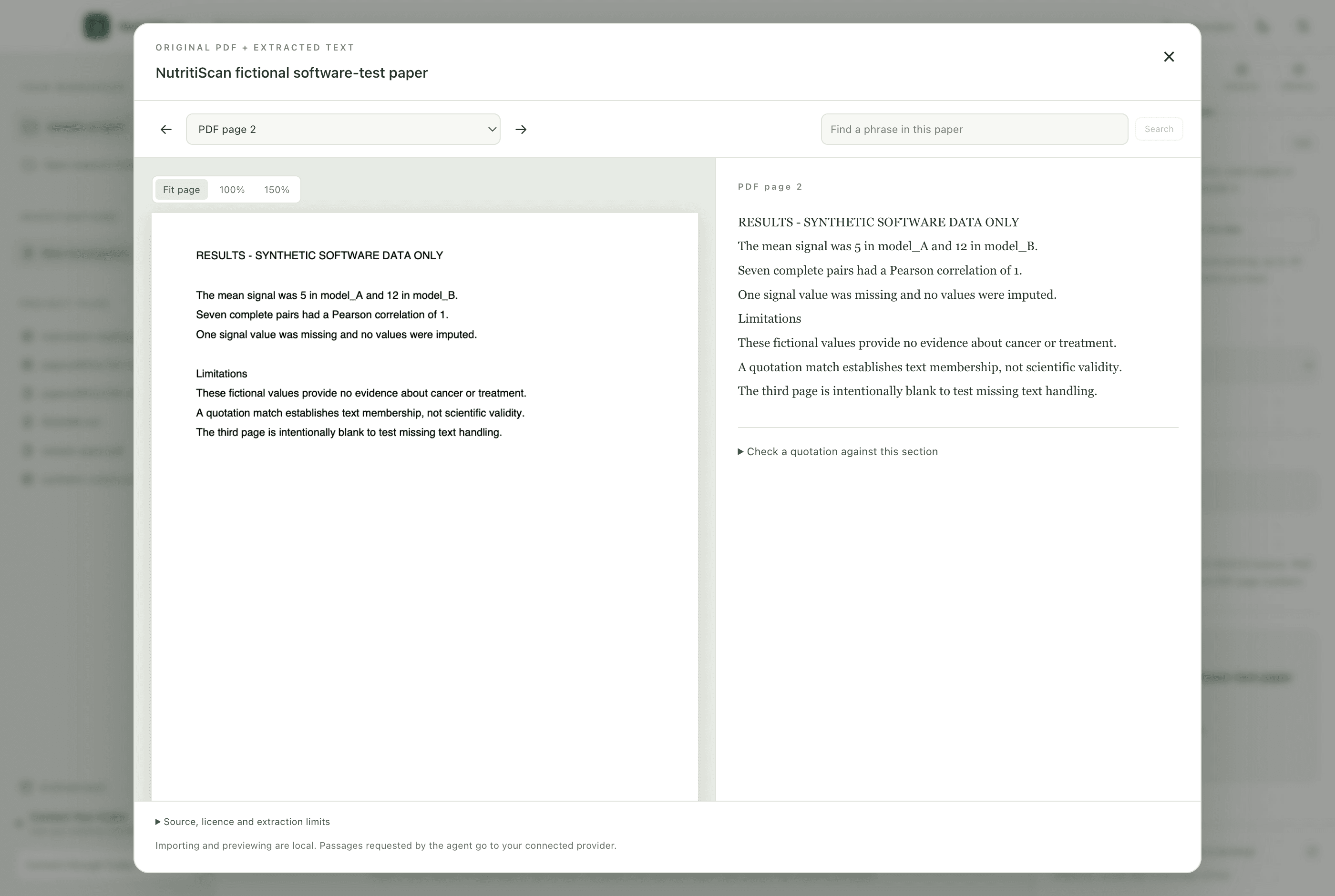
Import PDFs with original-page previews or fetch permitted PMC full text by ID. Search passages, check exact quotations and follow citations back to their source.
Inspect CSV/FHIR exports. Review and run supported CSV summaries or correlations, then keep the input fingerprint, recipe, results and saved reports with your project.
Use the local terminal alongside research chat. The original Claude Code CLI can run there with its own sign-in.
GET STARTED
For Macs with an M-series chip and macOS 13.0 or later. Intel Mac, Windows and Linux downloads are not available in this release.
Open the ZIP file, then move NutritiScan.app into your Applications folder.
This build is locally signed and has not been notarized by Apple. If macOS blocks it, review Apple’s guidance for opening downloaded apps and decide whether to proceed.
Manual paper reading and supported local calculations work without model sign-in. For agent chat, install the official Codex CLI and choose Connect through Codex. Chat requires an eligible ChatGPT account, internet and available plan usage; no paid API fallback is enabled.
Choose Explore the sample project, then open Papers and import the fictional sample PDF. Start a new investigation to use the new agent tools. Python 3 is needed for the optional terminal; Claude Code is optional.
Projects, original paper copies, extracted snapshots and app history stay on your Mac. Requested passages, messages and project context go to your connected model provider. Public retrieval goes to the source databases. Web chats do not automatically sync with the app.
PDF import supports 20 MB and 80 pages, with no OCR. PMC import supports recorded CC BY/CC0 articles by ID. Local analyses are descriptive; Python/R execution, direct lab connections and clinical validation remain future work.